Create Dynamic Tumbler Designs with V Split Canva Templates
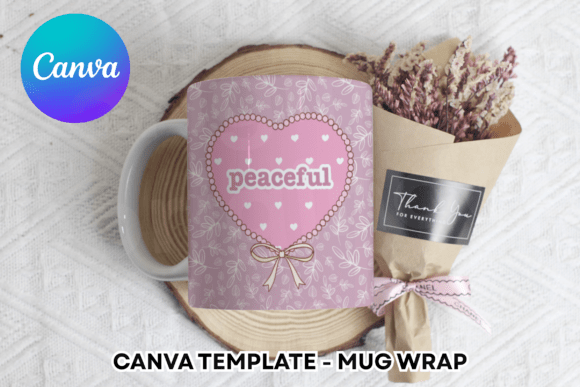
If you have ever tried to wrap a curved surface with a flat digital image, you know the frustration. Designing for drinkware, specifically the popular skinny tumblers, requires a specific understanding of how graphics distort when wrapped around a cylinder. This is where the V Split Tumbler Wrap Canva Template comes into play. It is a practical design asset that bridges the gap between standard graphic design and the specific requirements of print-on-demand products. Rather than guessing how your background image will look once it is printed and applied, these templates provide the exact framework you need to visualize the final result within Canva.
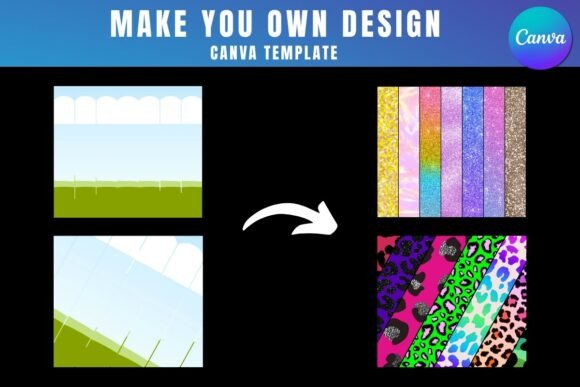
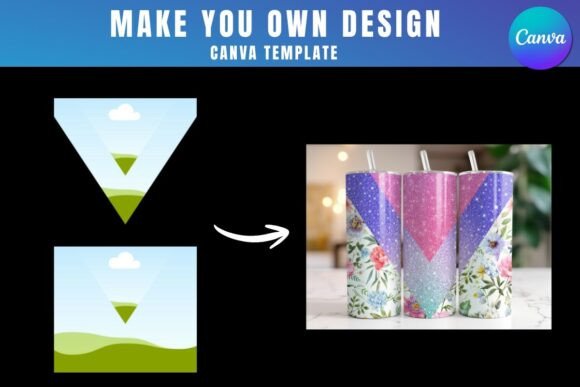
The core appeal of this system lies in its simplicity and accessibility. You receive a PDF containing a direct link to Canva frame templates. By clicking that link, you are taken straight into the Canva editor where the frames are pre-set and ready for action. This is not a complex piece of software that requires installation; it is a digital product designed for the modern workflow of designers, entrepreneurs, and hobbyists. The visual characteristics of the template are precise. The "V Split" refers to a specific division in the design layout, which is particularly useful for creating wraps that feature distinct sections or for managing how a continuous pattern breaks at the seam of the tumbler. It offers a clean, organized structure that ensures your final print is seamless and professional.
Streamlining Your Workflow with Drag-and-Drop Efficiency
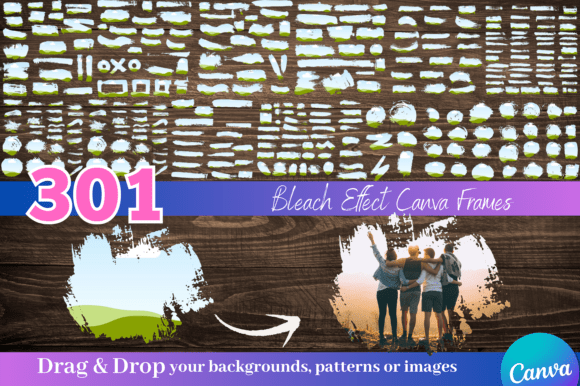
One of the most significant advantages of using the V Split Tumbler Wrap Canva Template is the elimination of technical barriers. Traditionally, creating a wrap for a cylindrical object might require advanced software like Adobe Illustrator or Photoshop, where you would need to manually set up guides and curves. However, these templates leverage Canva’s user-friendly interface. Once you access the templates, the workflow is incredibly intuitive: you simply drag and drop your PNG or JPG background images into the pre-made frames. The template handles the heavy lifting of positioning and scaling, allowing you to focus on the creative aspect of your brand identity.
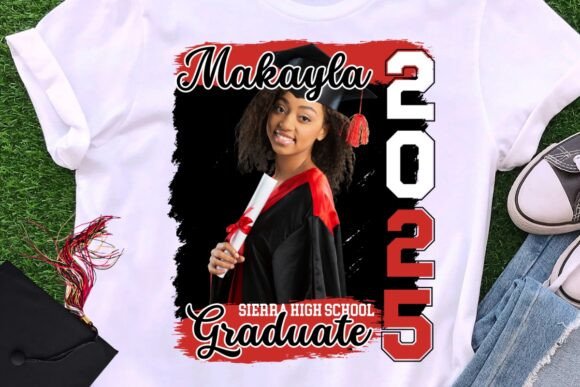
For small business owners and content creators, this efficiency translates directly into time saved. Imagine you are launching a new line of merchandise for your brand. You have a specific color palette and a set of patterns that define your visual style. Instead of outsourcing the setup to a specialist, you can use these design assets to mock up your products instantly. The templates allow you to see exactly how a logo design or a complex illustration will wrap around the tumbler, ensuring that key elements are not awkwardly cut off at the edges. This is particularly useful for social media graphics where you need to show a realistic preview of your product to generate interest and sales.
Understanding the Technical Requirements and Limitations
While the V Split Tumbler Wrap Canva Template is designed for ease of use, it is important to understand the ecosystem it operates within. First and foremost, a free Canva account is necessary to open and edit the templates. Canva is a powerful tool for web design and basic graphic creation, and the free tier offers substantial functionality. However, there is a specific limitation regarding file exports that users must be aware of. To download your finished design with a transparent background—which is often necessary for high-quality printing—you will need Canva Pro or a higher version.
Why does the transparent background matter? When you print a tumbler wrap, the white background of a standard JPG or PNG can interfere with the color of the physical tumbler or the transfer process. A transparent background ensures that only your intended design elements are printed, allowing the material of the tumbler to show through where intended or ensuring a clean edge on the vinyl. If you are operating on a tight budget and only have a free Canva account, you can still use the templates to design, but you may need to use a workaround or upgrade temporarily to get the specific file format required for production.
Furthermore, it is crucial to note that this is a digital product. No physical frames or tumblers will be delivered to your doorstep. You are purchasing the intellectual property and the design framework. Additionally, these templates are exclusive to Canva. They cannot be used as SVG files, nor are they compatible with direct cutting machine software like Cricut Design Space or Silhouette Studio. The workflow is designed to be: Design in Canva -> Export Image -> Upload to Cutter Software (if cutting vinyl) or Send to Print Provider. This distinction is vital for crafters who are used to a different production pipeline.
Strategic Applications for Branding and Marketing
From a brand strategy perspective, the consistency of your visual assets is paramount. When you sell physical products like drinkware, the design must look as professional on the curved surface as it does on a flat screen. The V Split Tumbler Wrap Canva Template helps maintain this professionalism. By using a standardized template, you ensure that every tumbler in your collection has the same margins and alignment. This consistency builds trust with your audience; they recognize the quality of your packaging design and associate it with the reliability of your brand.
Consider the different styles you can achieve. You might use a premium font paired with a minimalist geometric pattern for a high-end corporate gift. Alternatively, you could use a handwritten font combined with floral watercolor graphics for a boutique Etsy shop targeting a feminine demographic. The template serves as the canvas for these diverse typeface choices. Whether you are working with a serif font for a classic look or a sans serif font for modern appeal, the frame ensures the typography is placed in the "safe zone" where it remains legible after the wrap is applied.
For marketers and bloggers, these templates offer a unique opportunity for merchandise creation. You do not need to be a full-time graphic designer to create compelling products. By utilizing font pairing strategies—combining a bold display font for headlines with a readable body font—you can create designs that pop. The ability to quickly iterate on designs means you can test different concepts with your audience. You might create a "Boss Babe" design for one segment and a "Vintage Floral" design for another, all using the same base template.
Practical Tips for Evaluating Project Fit
Before diving into a project, take a moment to evaluate if this specific template style fits your vision. The "V Split" layout is particularly effective for designs that feature a central graphic element or a symmetrical pattern. If your design relies on a continuous, unbroken panoramic image that flows 360 degrees without a distinct split, you might need to adjust how you place your background image within the frame. However, for many standard tumbler designs, the split is a helpful guide for alignment.
When selecting your background images, opt for high-resolution files. Even though Canva is web-based, the quality of your final output depends on the input. A blurry JPG will look even worse when stretched around a curved surface. Use PNG files for graphics with transparency (like logos or stickers) and JPGs for full-bleed photographic backgrounds. Pay attention to the visual hierarchy of your design. Place the most critical information or focal points in the center of the wrap, keeping in mind that the very top and bottom edges might be lost during the trimming process depending on your production method.
Ultimately, the V Split Tumbler Wrap Canva Template