Faux Embroidery Canva Frame Letters_21: Craft Your Digital Stitch
There's a specific kind of charm that comes with embroidered text. It evokes a sense of tradition, care, and handcrafted quality. But translating that tactile feel into a digital project can be a challenge. That’s precisely the problem the Faux Embroidery Canva Frame Letters_21 template solves. It’s not a traditional font file like a TTF or OTF, but rather a fully editable set of Canva frames designed to mimic the intricate, textured look of embroidery with remarkable ease. Think of it as a digital embroidery hoop, ready for your creativity.
Understanding the Digital Craft: More Than Just a Typeface
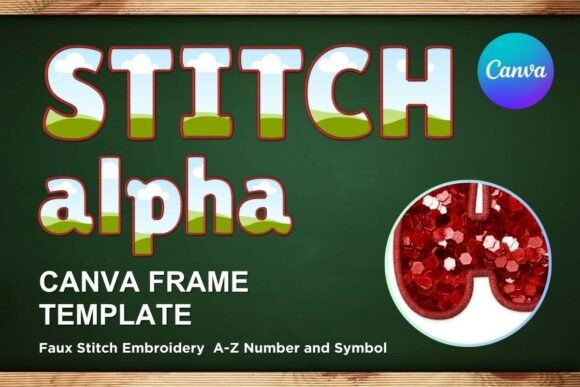
At its core, this is a premium font alternative for the Canva ecosystem. The visual style is unmistakable: each letterform is rendered to look like it was stitched with thread, featuring subtle texture, realistic shadowing, and a slightly raised appearance. The personality is warm, nostalgic, and artisanal, yet the clean design keeps it from feeling dated. This creative font style bridges the gap between rustic charm and modern graphic design, making it incredibly versatile. It’s a display font through and through, built for impact in headlines, logos, and featured text, not for body copy.
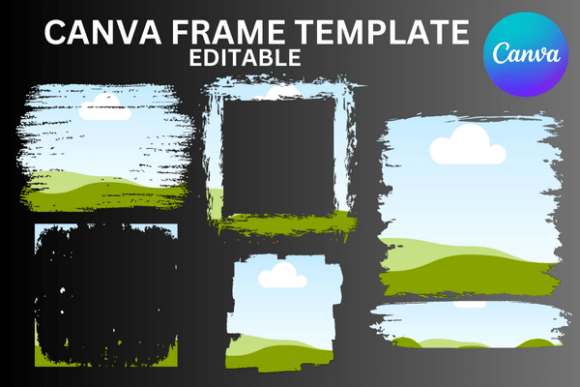
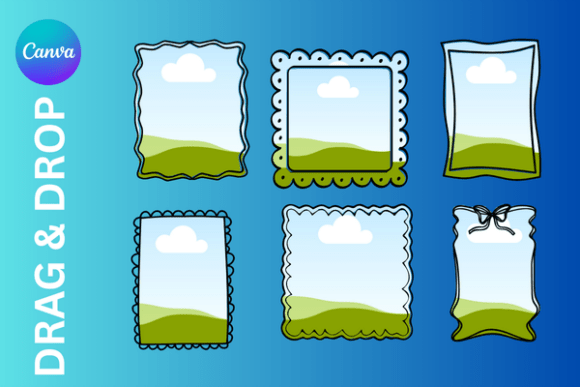
The true value lies in its format. As a set of Canva frames, you simply drag and drop your own colors, patterns, or even photographs into the letter shapes. This allows for a level of customization impossible with a static font file. You can create a letter "A" filled with a floral pattern, a "B" with a gradient, and a "C" with a solid brand color, all within minutes. This is a game-changer for creating consistent brand identity assets without needing advanced software like Adobe Illustrator.
Where This Embroidered Style Truly Shines
The applications for Faux Embroidery Canva Frame Letters_21 are vast, especially for those who value a handmade aesthetic in their projects. Its strength lies in adding a layer of texture and personality that flat, digital fonts often lack.
- Branding & Marketing: For businesses in the lifestyle, wellness, boutique retail, or artisanal food space, this style is gold. Use it for your logo design to instantly communicate craftsmanship. It’s perfect for creating social media headers, promotional graphics, and email banners that feel approachable and unique. The texture helps your text stand out in a crowded feed.
- Publishing & Editorial: Imagine this style on the cover of a cozy mystery novel, a lifestyle magazine feature, or a cookbook title. It adds immediate genre context and visual interest. For editorial design, it can be used for pull quotes or section headers to break up content and guide the reader's eye.
- Packaging & Product Design: This is where the style excels. It’s ideal for packaging design for candles, skincare, homemade goods, or craft supplies. The embroidered look suggests a product made with care, which can influence customer perception and justify a premium price point.
- Digital & Personal Projects: For bloggers, content creators, and hobbyists, it’s a fantastic tool for creating personalized gifts, digital invitations, event signage, or custom prints. The ease of use in Canva means you don’t need to be a professional designer to achieve a polished, custom result.
Practical Guidance for Seamless Integration
Adopting any new design asset requires a thoughtful approach. Here’s how to get the most out of this Canva template:
- Evaluate the Project Fit: First, ask if the embroidered aesthetic aligns with your project's tone. It’s perfect for brands and projects that value warmth, tradition, and a personal touch. It may not be the best fit for ultra-modern, minimalist, or corporate tech contexts where a clean sans serif font would be more appropriate.
- Master the Canva Frame Workflow: Remember, this is an editable Canva template. You will receive a PDF with a link to the custom Canva template. Once opened, you’ll see each letter as a frame. Simply click on a frame, upload your chosen image or color from Canva’s library, and it will fill the letter shape. This allows for incredible creative freedom.
- Font Pairing is Key: Because this is a detailed display font, it needs a complementary partner for any supporting text. Pair it with a clean, simple serif font for a classic, readable combination, or a neutral sans serif font for a more modern contrast. Avoid pairing it with other decorative or script fonts, as this will create visual clutter and harm readability.
- Consider Readability and Scale: The intricate stitch texture means this style works best at larger sizes. Use it for headlines, logos, and titles where the details can be appreciated. For smaller text, always opt for a more legible typeface. The template is based on a 12x12 inch canvas but can be sized up or down in Canva to suit your needs.
- Leverage for Commercial Use: This is a commercial font solution, meaning you can use the designs you create with it for client work, products for sale, and business marketing. Always review the specific license terms included with your purchase to ensure compliance.
In the world of modern typography, having tools that offer both style and flexibility is essential. Faux Embroidery Canva Frame Letters_21 provides a unique way to incorporate the beloved embroidered look into your digital workflow. It’s a practical, powerful asset for anyone looking to add depth, texture, and a handcrafted feel to their visual communications, all without ever leaving Canva.